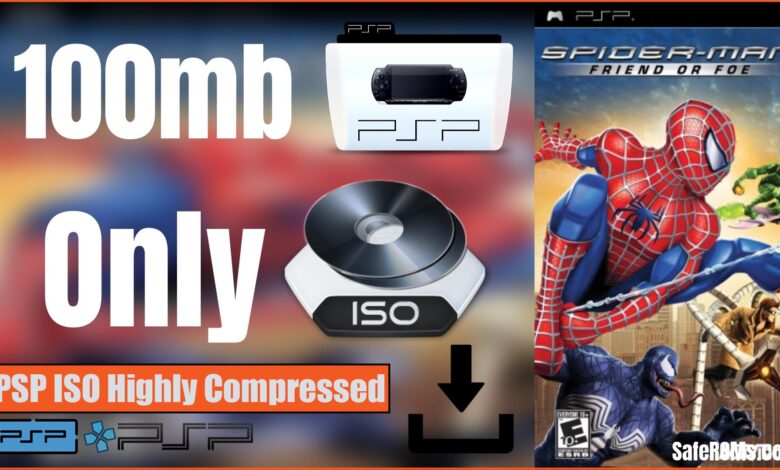
Spider Man: Friend or Foe PPSSPP Download — Latest Version Download play it on Windows, Android or iOS.
Spider Man: Friend or Foe is an action-packed superhero game that allows players to experience Spider Man’s adventures across iconic locations. Unlike traditional Spider Man games, this title focuses on cooperative gameplay where Spider Man teams up with former villains to defeat powerful enemies. With the PPSSPP version, mobile users can enjoy the full game with optimized controls and enhanced graphics. In this guide, we’ll show you how to download Spider Man: Friend or Foe PPSSPP safely, discuss gameplay features, and provide tips to improve performance on Android or iOS devices.
Introducing:Spider Man: Friend or Foe PPSSPP
Spider Man: Friend or Foe was developed by Next Level Games and published by Activision. The game offers a unique storyline where players work with classic villains like Green Goblin, Doctor Octopus, and Venom to take down larger threats. The PPSSPP version brings this experience to mobile devices, making it accessible without the original PSP console. Using emulators such as PPSSPP Official Emulator ensures smooth gameplay with responsive controls, high-quality textures, and a consistent frame rate on compatible devices.
Game Information
Below is a table highlighting key information about Spider Man: Friend or Foe:
| Title | Spider Man: Friend or Foe |
|---|---|
| Developer | Next Level Games |
| Publisher | Activision |
| Initial Release | October 2007 |
| Platforms Supported | PPSSPP Emulator, PSP, PC, Xbox 360, PlayStation 2 |
| Official Mobile Version | No, only playable via PPSSPP emulator |
Gameplay Features
The game combines action, platforming, and beat-em-up elements. Players control Spider Man and allied characters to traverse cityscapes, fight enemies, and complete mission objectives. Each character has unique abilities and powers, offering varied combat styles. You can switch between characters during missions, utilize special attacks, and collect power-ups to increase your effectiveness in battles. The game also includes boss fights that require strategy, timing, and skillful use of your characters’ abilities.
Levels are designed with iconic locations from the Spider Man universe, including rooftops, streets, laboratories, and secret hideouts. The missions are engaging, and the storyline is easy to follow, making it enjoyable for both casual players and hardcore fans of Spider Man.
SEE ALSO: EA SPORTS FC 25 PSP News Patch HD Graphics Camera PS5
Download Spider Man: Friend or Foe PPSSPP for all devices
To play Spider Man: Friend or Foe on mobile, download the PPSSPP ISO from trusted sources. Lightweight and compressed files are preferred for devices with limited storage. Emulators such as RetroArch, Rocket PSP Emulator, Sunshine Emulator, and PSPlay PSP Emulator are compatible with most Android and iOS devices. Using verified sources ensures your game files are safe, complete, and optimized for smooth performance.
Once downloaded, load the ISO into your preferred emulator, configure controls for touch or external controller, and adjust the graphics settings according to your device’s specifications. High-end devices can enable full-resolution textures and shadows, while mid-range devices may need to lower certain graphics settings to maintain smooth gameplay.
Tips for Smooth Gameplay
Here are some practical tips to get the best experience with Spider Man: Friend or Foe PPSSPP:
- Ensure your device has sufficient RAM and storage for smooth operation.
- Use a controller for precise combat movements and combos.
- Adjust emulator graphics settings based on your device’s performance capabilities.
- Close background apps to reduce lag and avoid crashes.
- Keep your ISO file updated with verified patches or mod versions.
- Use stable Wi-Fi connections for downloading or transferring large files.
Following these tips can prevent common issues such as frame drops, delayed input response, and unexpected emulator crashes. Many players also enjoy recording their gameplay using built-in screen recording tools or third-party apps to share highlights and achievements online.
SEE ALSO: Red Dead Redemption 2 PPSSPP ISO Download For Android
Why Use PPSSPP Emulator
PPSSPP is a reliable and widely used emulator for PSP games, including Spider Man: Friend or Foe. It allows mobile users to play PSP titles with customizable graphics, audio enhancements, and touch controls. The emulator supports saving and loading game states, which is ideal for players who want to pause and resume gameplay at any time. External controllers can also be configured for a console-like experience, making the game more immersive.
Conclusion
Spider Man: Friend or Foe PPSSPP offers an engaging superhero experience with cooperative gameplay, exciting missions, and iconic villains. By using verified emulators and trusted ISO files, you can enjoy smooth performance, enhanced graphics, and secure gameplay on your mobile device. Avoid unverified downloads to protect your device and focus on official or verified sources for a safe, enjoyable Spider Man adventure.